Posts

Showing posts with the label technology

FREE Text-to-Speech Websites for Any Classroom: No Downloading Required
Image
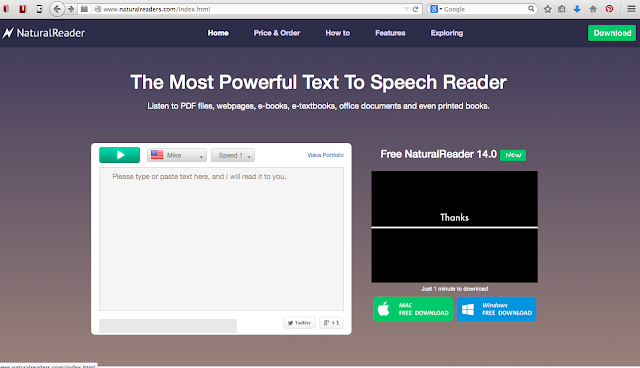
Do you remember the days where you had to read aloud text into an mp3 player for a student to listen to the next day? Or waiting six months for the hard working people in Assistive Tech to hand you a copy of Co:Writer? Those days are GONE GONE GONE (and thank goodness for that!). But... what do you do if you don't have iPads at your school? What do you do if you share a computer cart with everyone else on your floor? What do you do if you only have two old PC computers in the corner of your room and that's it? Well, first... go here , Chicagoans go here , or here and get an iPad or Chromebook grant ASAP. Technology belongs in our modern classrooms! Did you fill out a grant application? Good! In the meantime, I have compiled a list of websites that allow you accessibility in any classroom without needing to download or sign up for anything. Text-to-Speech Websites: Read Speaker- reads 250 characters Text to Speech IM Translator- no character maximum but the webpage is...
Support #10: Using ShowMe App to Present

Image
This support comes from Lindsay Whited, an amazing learning specialist and co-teacher in fifth grade. She uses the iPad and technology every day in inventive ways. This is just one example. In Lindsay and Fotine's amazing fifth grade classroom, students were asked  to summarize in writing a chapter from the book they were reading. They were also asked to create visuals and symbols representing the important events of the chapter. Lindsay used one of my favorite free apps called ShowMe. The student used the app and the reading strategies he had been taught in class to orally tell and visually depict his summary. He was then able to show his mega cool ShowMe vid to his classmates. CHECK IT OUT!!! I have also used ShowMe whole class. Each student created their own ShowMe and we were able to share them full class. I can't say enough about this app. Here's a student creating a ShowMe video based on the text she is reading. Here is one ShowMe video being presen...

Support #3: Bookshare

Image
For anyone that's counting down with me, we have 12 days left of school. Here's support #3! I am a HUGE fan of Bookshare. In my experience, it is the best (and most age appropriate) way of providing access to text for students who have print based disabilities. I love using the Bookshare app called Read2Go . It's $20.00 and well worth the price but you can also download the program on a computer for free. The hardest part about Bookshare is signing up. Give yourself a week to sign up and familiarize yourself with the download process. Below are some great videos from Bookshare that show you how to become a member. Enjoy! Here's a website tour: https://www.youtube.com/watch? v=G0RUvNRZl8w How to use Read2Go: https://www.youtube.com/watch? v=kcQOmPDjw9g How to download Bookshare on your computer: https://www.youtube.com/watch? v=JFDt34DhVPo From their website: Bookshare® opens up the world of reading for people with print disabilities. If you cannot rea...